Sports broadcast switching in Hong Kong: the live mix, not just cameras
Switching is the operator craft that turns several cameras, graphics and recordings into one live programme. Mixberry uses it for stadium shows, school tournaments and outdoor National Games courts — in English and Chinese, in Hong Kong and the Greater Bay Area.
What we put on the desk
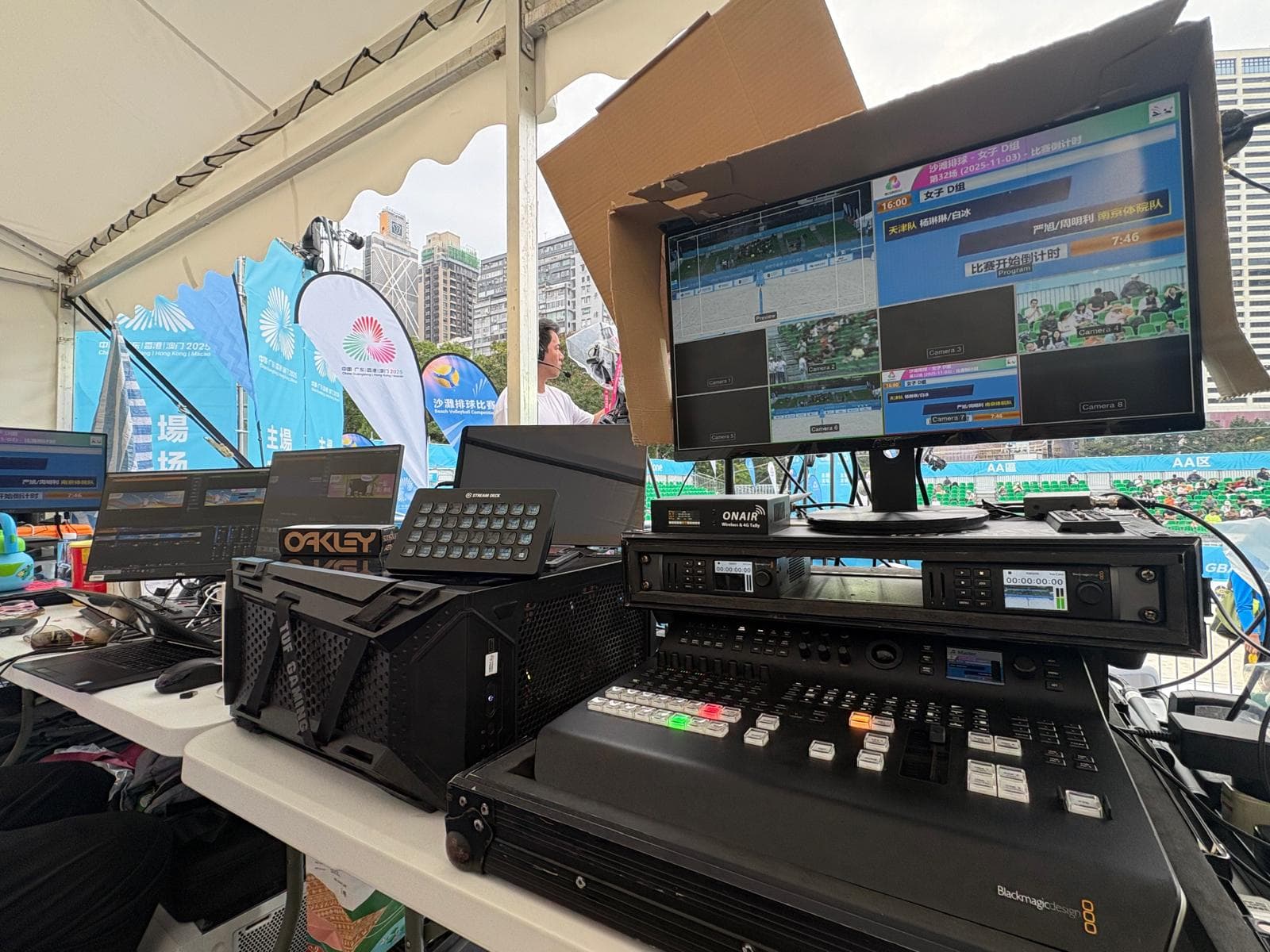
Typical Mixberry sports desks include Blackmagic ATEM switching, HyperDeck recording, wireless tally, live match graphics and, when the show needs it, YouTube RTMP streaming. At Kai Tak, Hirender media-server playout feeds the LED wall and ribbon. FIBA 3x3 Hengqin added Stream Deck pages so operators could hit fan feeds and LED looks without hunting through windows.
Indoor arena vs outdoor court
Kai Tak and indoor handball or volleyball want stable multi-camera cutting into LED. Victoria Park beach volleyball for the National Games needed a mobile control room engineered for a coastal outdoor site. School volleyball used the same ATEM language at a smaller scale, with Fans Cam and a public stream for the third-place match.
When switching is the brief vs when Prism is
If you need the programme feed — cameras, graphics, LED, stream — that is production switching. If you already have a video vendor and want Fans Cam, social wall or operator apps beside that mix, that is Mixberry Prism. Many sports shows book both.
Continue
Questions this page answers
Do you only switch in stadiums?+
No. The same desk language covers Kai Tak, school halls, Victoria Park outdoor courts and Greater Bay Area 3x3. Scale changes; the programme mix does not.
Can you stream as well as switch to LED?+
Yes. Hong Kong school volleyball, for example, used ATEM switching, match graphics and YouTube streaming together. Tell us whether the primary output is LED, a rights-holder feed, or a public stream.